Send alerts to Slack
Get downtime and recovery notifications in a Slack channel. You'll create an incoming webhook in Slack, then paste it into a 247Monitor alert channel.
3 min read
247Monitor sends Slack alerts through an incoming webhook, a private URL Slack gives you that posts messages to one channel. Create it once, paste it in, done.
Create the webhook in Slack
- 1
Open Slack's app builder
Go to api.slack.com/apps and click Create New App → From scratch. Give it a name like “247Monitor” and pick the workspace you want alerts in.
- 2
Turn on Incoming Webhooks
In the app's settings, open Incoming Webhooks and toggle Activate Incoming Webhooks on.
- 3
Add a webhook to a channel
Click Add New Webhook to Workspace, choose the channel alerts should post to (e.g.
#alerts), and authorise it. Slack generates a URL that looks likehttps://hooks.slack.com/services/T…/B…/…. - 4
Copy the webhook URL
Copy that URL; it's the only thing 247Monitor needs.
Heads upTreat the webhook URL like a password. Anyone with it can post to your channel, so don't commit it to a repo or share it publicly.
Connect it in 247Monitor
- 5
Add a Slack alert channel
In the dashboard, open Alert Channels and click Add Channel, then choose Slack.
app.247monitor.net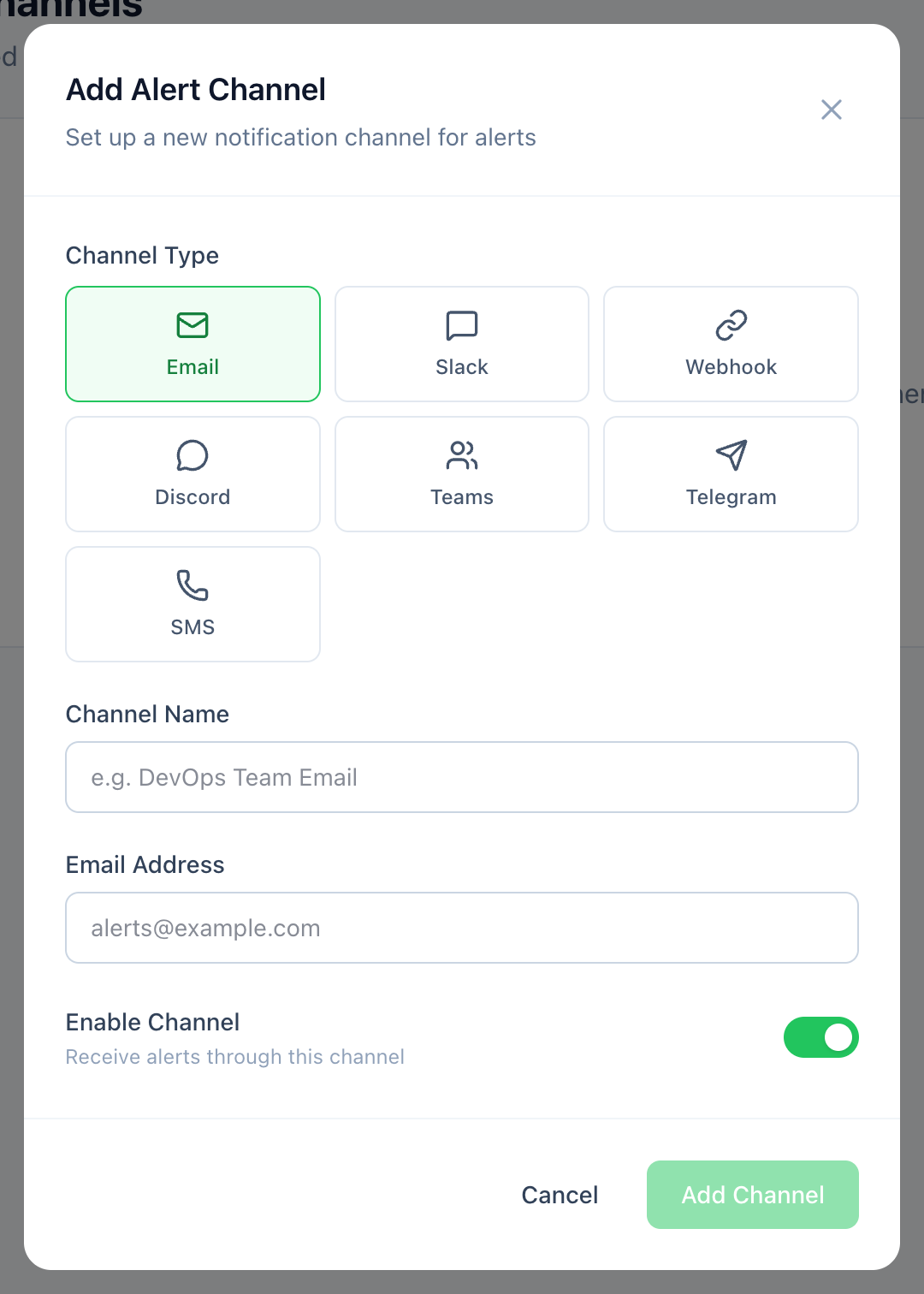
Alert Channels → Add Channel → Slack. - 6
Paste the webhook URL
Give the channel a recognisable name and paste the webhook URL into the Webhook URL field. Leave Enable Channel on.
app.247monitor.net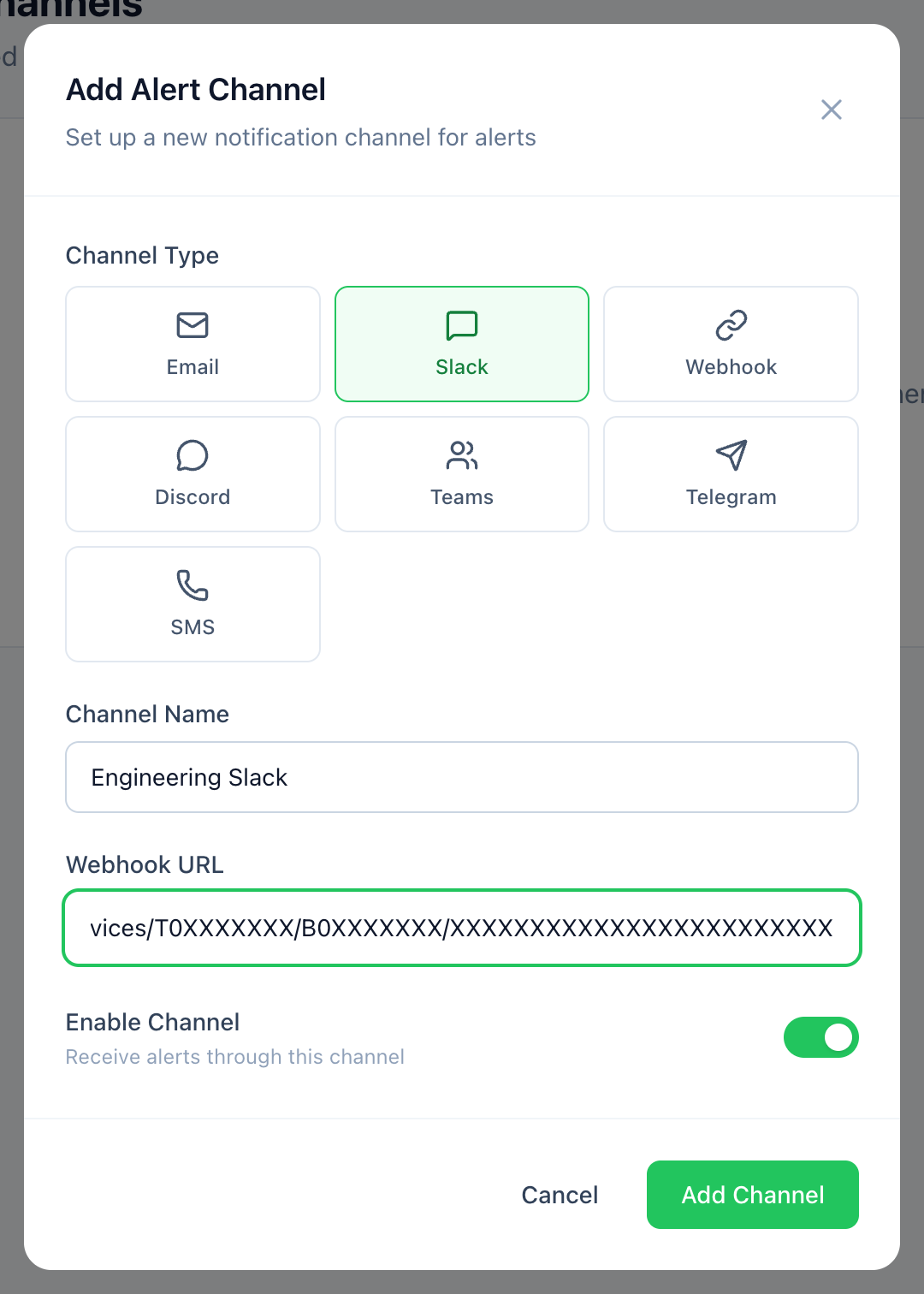
Paste the hooks.slack.com URL and save. - 7
Send a test and save
Use Send test to confirm a message lands in your Slack channel, then save. Finally, attach the channel to the monitors that should use it, either on each monitor or when you create one.