Send alerts to Telegram
Get alerts in a Telegram chat or group. You'll create a bot with BotFather, find your chat ID, and enter both into a 247Monitor alert channel.
4 min read
Telegram needs two values: a bot token (which identifies the bot that sends messages) and a chat ID (which says where to send them).
Create a bot and get the token
- 1
Talk to BotFather
In Telegram, search for @BotFather (the official bot, with a blue verified tick) and start a chat.
- 2
Run /newbot
Send
/newbotand follow the prompts: give it a display name and a unique username ending inbot. BotFather replies with a token like7123456789:AAE-xxxxxxxxxxxxxxxxxxxxxxxxxxxxxxx. Copy it.Heads upThe token grants full control of the bot, so keep it private and don't paste it anywhere public.
Find your chat ID
- 3
Start the conversation
Decide where alerts should go. For a direct chat, open your new bot and tap Start. For a group, add the bot to the group and post any message there. (A bot can only message people and groups that have interacted with it first.)
- 4
Read the chat ID
Visit this URL in a browser, swapping in your token, and look for
"chat":{"id":…}in the JSON:https://api.telegram.org/bot<YOUR_TOKEN>/getUpdatesA personal chat ID is a positive number; a group ID is negative and usually looks like
-1001234567890. If nothing shows up, send the bot/group another message and refresh.TipPrefer not to read JSON? Message @getidsbot and it'll reply with the chat ID directly.
Connect it in 247Monitor
- 5
Add a Telegram alert channel
In the dashboard, open Alert Channels, click Add Channel and choose Telegram.
- 6
Enter the token and chat ID
Name the channel, paste the Bot Token and Chat ID, and save.
app.247monitor.net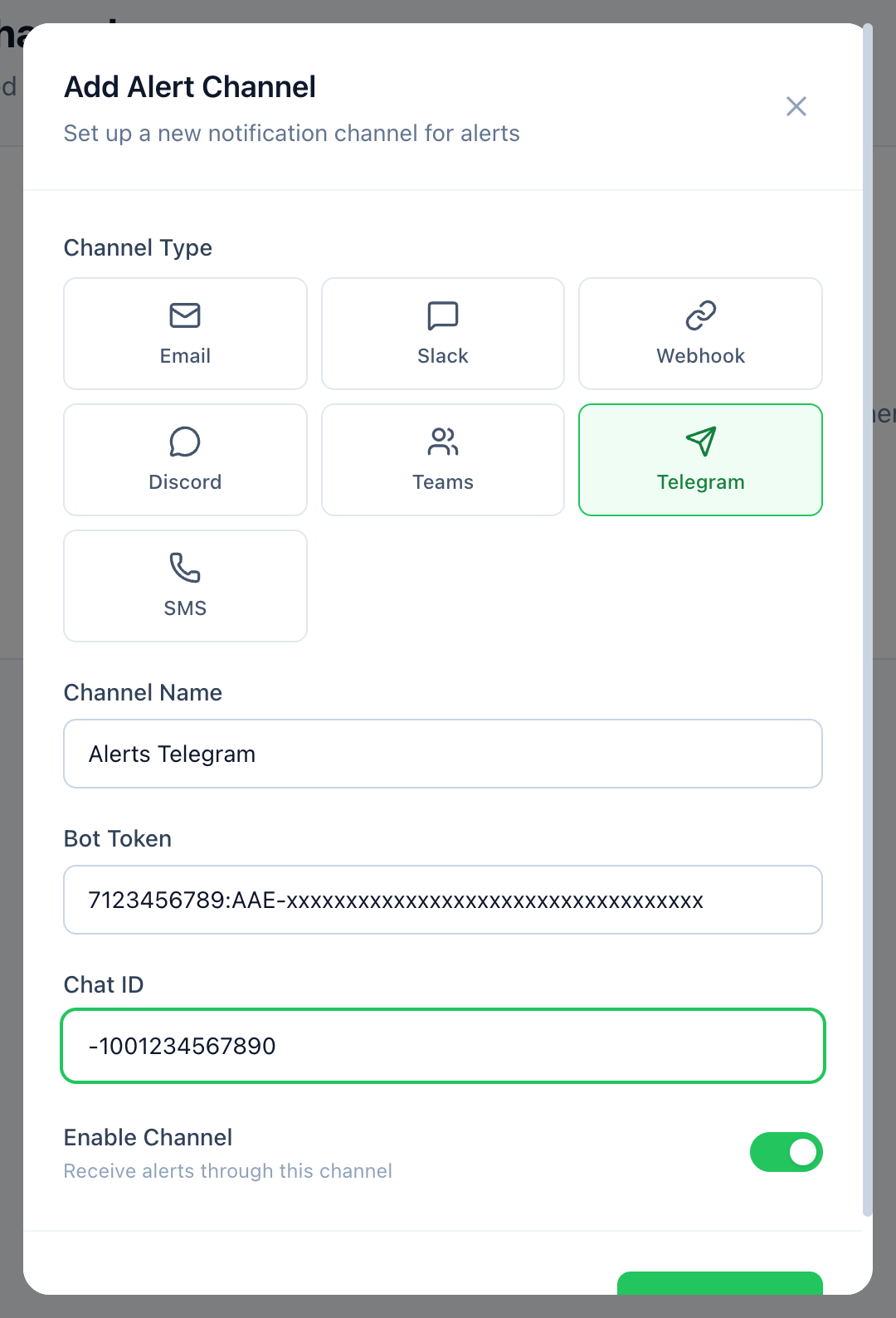
Telegram needs both the bot token and the chat ID. - 7
Test and attach to monitors
Use Send test to confirm a message arrives, then attach the channel to your monitors, on each monitor or when you create one.